The old iPod has a surprisingly persuasive feature: when you pick it up to change a song, there is very little else to do. No message thread competes with the album. No social feed opens behind the player. Your music is already there.
That experience is finding new admirers. Associated Press reporting in April 2026 described younger listeners buying used players for more focused listening, while refurbished devices and enthusiast modifications have helped keep older hardware useful.
This is a secondhand revival, not an announced new Apple product. It is also a reason to be precise about the name: a wheel-based iPod and an iPod touch can offer very different escapes from the smartphone.
Your music. One little menu.
Pick one of our three tiny original tunes, then press Play. Nothing starts by itself.
How it works
These short melodies are original NostalgiaSignal compositions synthesized by your browser. They demonstrate choosing from a small local collection, not iPod audio quality or authentic Apple software. The player drawing is an original illustration; models and controls differed over time.
There is no music-service connection, autoplay, account or listening-history upload. Stop ends the example. Apple’s original iPod announcement explains the local library, playlists and scroll-wheel idea.
In 2001, a pocket-sized library still felt extraordinary
Portable digital music existed before the iPod. Apple’s achievement was to combine useful capacity, a compact object, straightforward navigation and a connection to the music library on a computer.
The original announcement on October 23, 2001 described a 5GB player priced at $399 in the United States. It worked with a compatible Mac through FireWire, and Apple advertised capacity for about a thousand songs. That estimate depended on encoding and track length; it was not a fixed number of slots.
The first model’s wheel physically turned. Later versions changed the controls, eventually making the Click Wheel a defining part of the product’s identity. Those details are easily merged in memory, especially by people whose first iPod arrived several years after the original.
Compared with carrying a selection of CDs, the new arrangement changed the question. Instead of choosing a few discs before leaving home, you could bring a much broader collection and decide later.
The computer was half of the experience
An iPod library did not organize itself. You imported files, corrected artist names, dealt with duplicates and decided which albums deserved space.
That work could be satisfying or maddening. A misspelled artist might become a separate entry. An album could split across several names. A carefully assembled playlist might expose one track with no useful information attached to it.
The process nevertheless gave the collection a history. You remembered acquiring an album, making room for it and putting it beside something that sounded completely different. The library represented a series of choices.
A playlist for a journey had a finite shape. You could add a joke, build a transition or place a favorite track exactly where you hoped it would arrive. The preparation was part of listening.
“iPod” became a family of different ideas
Apple expanded the range to suit different budgets, pockets and ways of listening. The small models emphasized portability; the larger ones could hold an extensive library. Some added video, while the touch moved much closer to the smartphone experience.
| Family | What defined the experience |
|---|---|
| Original and classic-style models | A screen, wheel-based navigation and a substantial local music collection; features varied by generation. |
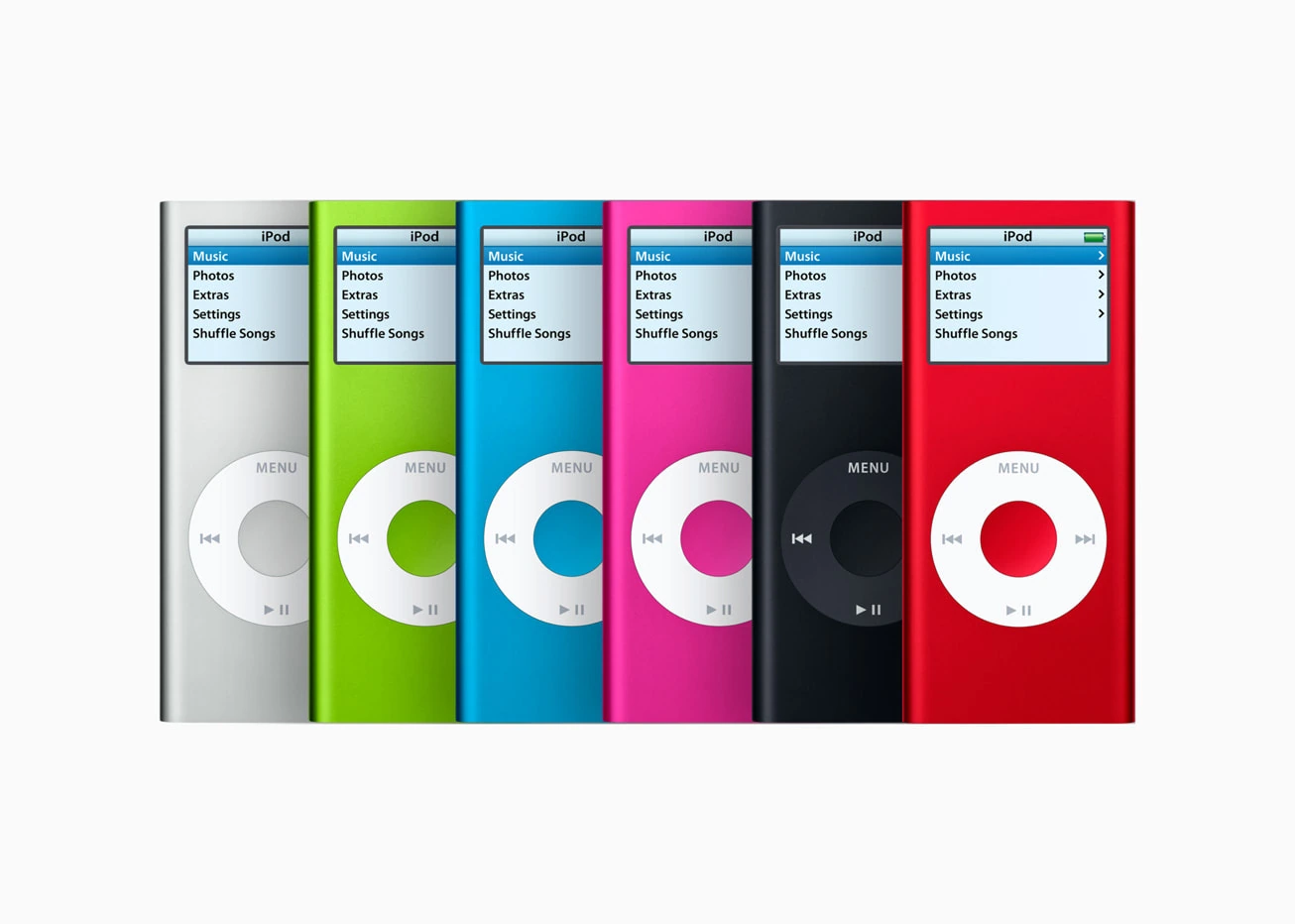
| Mini and nano | Smaller designs, often in bright colors. Nano controls and features changed considerably between generations. |
| Shuffle | No screen, with a compact design built around a smaller selected library. |
| Touch | A touchscreen, Wi-Fi and applications. Its connected capabilities make it a different proposition from an offline wheel-based player. |
Apple announced its 100 millionth iPod sale in April 2007. By then, the white earphones and the silhouette advertising had made the player a recognizable cultural object.
The phone absorbed the everyday job
A phone that could play music reduced the need to charge and carry another device. Streaming added a vast catalog and discovery tools without requiring the same routine of transferring individual files.
For many listeners, that was a clear improvement. A song mentioned by a friend could be playing seconds later. Downloaded listening could also work away from a network, depending on the service and subscription.
The iPod range gradually contracted. On May 10, 2022, Apple announced that the remaining iPod touch would be sold while supplies lasted, bringing the product line to an end.
That ending did not make every existing player stop working. It changed the route into ownership: old household devices, used listings, refurbishers and repair communities became the places to look.
The appeal is a boundary around one activity
A classic-style player does not have to be technically superior to feel useful. Its limited scope creates a boundary: you chose the music, and the device plays it.
That boundary can be welcome during a commute, while reading or when working on something that does not need another open app. It is similar to the attraction of a dedicated compact camera: a familiar task gets its own object again.
The distinction is not absolute. Phones can silence notifications and play local files. Some iPods offered games, video or music-selection features, and the touch supported far more. Nobody needs to buy vintage hardware to listen attentively.
For people who enjoy the physical controls and the ritual of maintaining a library, however, the separation can be easier to sustain when it is built into the object they pick up.
Enthusiasts have kept the hardware interesting
Some owners replace tired batteries or exchange an aging hard drive for flash storage. The work can extend a device’s life, but compatibility and difficulty depend on the exact model and the parts used.
Alternative software is another branch of the hobby. The Rockbox project’s supported-player list includes several iPod families and generations. That does not mean every nano, shuffle or touch can run it; the exact device must be checked against the project’s documentation.
A modified player is also different from a restored original. More storage or a replacement shell may make it more useful to its owner without making it an authentic example of the product as originally sold.
Neither goal is inherently better. Collecting, repairing and listening are related interests, but they can lead to different choices.
Which iPod—and which connection?
Start with the model number on the device and Apple’s illustrated model guide. “Classic” is often used loosely in listings for older wheel-based players. The original 2001 iPod and a later iPod classic do not have the same connector.
| Model to identify | Connection to check | Why the distinction matters |
|---|---|---|
| Original Scroll Wheel / Touch Wheel iPod | FireWire port | These early models belong to a different connection era from later dock-connector players. |
| Later wheel-based iPods and mini | 30-pin dock connector; check the exact generation’s manual for power and syncing | A plug’s shape alone does not establish how a particular generation charges or transfers data. |
| iPod nano, generations 1–6 | 30-pin dock connector | Small size and a touchscreen on the sixth generation do not make it a Lightning device. |
| iPod nano, generation 7 | Lightning; USB connection for charging and transfer | Apple’s specification lists Lightning and Bluetooth. It remains a local-library player with a different workflow from an iPod touch. |
| iPod shuffle | First generation has a built-in USB connector. Later generations use a model-appropriate cable/dock through the headphone port. | Choose the cable for the exact shuffle generation; an ordinary audio cable is not a computer-sync cable. |
| iPod touch, generation 7 | Lightning, plus Wi-Fi | This is an iOS device. Check software and app requirements separately from whether the cable fits. |
Connector sources: Apple’s model guide, the seventh-generation nano specifications, fourth-generation shuffle specifications, and seventh-generation touch specifications. This is a documentation-based identification guide. We have not tested every combination of old player, cable and current computer.
Three checks before the first sync
- Identify the music files. A local file you own and an offline download inside a subscription app are different things. Apple’s current iTunes guidance says saved Apple Music subscription songs cannot be synced to a device. It specifically directs classic, nano and shuffle users to iTunes on Windows 10 or later.
- Read the device’s sync prompt. Do not accept an erase-and-sync or restore action until you understand what it will replace. Keep a separate copy of your library; the cable working does not mean the existing music is backed up.
- Check the exact hardware. Ask what battery, storage and controls were actually tested. A listing photograph, an original factory specification and a present-day battery test answer different questions.
Before buying one, work backward from your music
The first question is whether you have suitable audio files and a way to transfer them. A subscription’s offline download is not automatically an ordinary music file that a classic iPod can play. Apple’s iTunes syncing guidance explicitly distinguishes saved Apple Music subscription songs from content that can be synced to a device.
Next, identify the exact generation, connector and condition. Battery age, storage health and the availability of a return policy matter more than a nostalgic listing photograph. A “refurbished” description is most useful when it explains what was actually replaced or tested.
A swollen battery is a stop-use issue, not a cosmetic flaw. iFixit’s battery guidance advises against charging a damaged or swollen battery; get appropriate repair help instead of trying to force the case closed.
Keep a separate copy of the music library, too. An old portable player should be a listening device, not the only surviving copy of recordings you care about.
A limited collection can still feel abundant
The iPod’s original promise depended on abundance: far more music than most people had previously carried in a pocket. Its renewed attraction sometimes depends on the opposite feeling: an understandable collection with an end.
You know roughly what is there. You put it there. An unexpected shuffle result belongs to your own library rather than an unlimited stream of suggestions.
That does not replace everything streaming does well. It offers another way to spend an hour with music—and a small wheel that makes choosing the next song feel like an activity of its own.
Keep the field notes
A small reference card for this story. The full article supplies the sources, context and exceptions.
Open or save the full-size card →
Follow the signal
- The CD Comeback: Why Streaming-Era Listeners Are Buying Discs — Compare a local file library with a physical album collection.
- 7 Sounds of 2000s Technology You Can Still Hear in Your Head — Hear and understand another part of the era’s technology.
- 7 Technologies From 2001 That Helped Build Our Digital Lives — Put the iPod beside the other technologies of 2001.
Two earlier players show how differently portable music could work. See how the Walkman gave an ordinary walk a soundtrack with a cassette, and why MiniDisc was the mixtape you could rearrange without recording the whole thing over.