INSIDE THE MACHINE / THE NOSTALGIA FILES
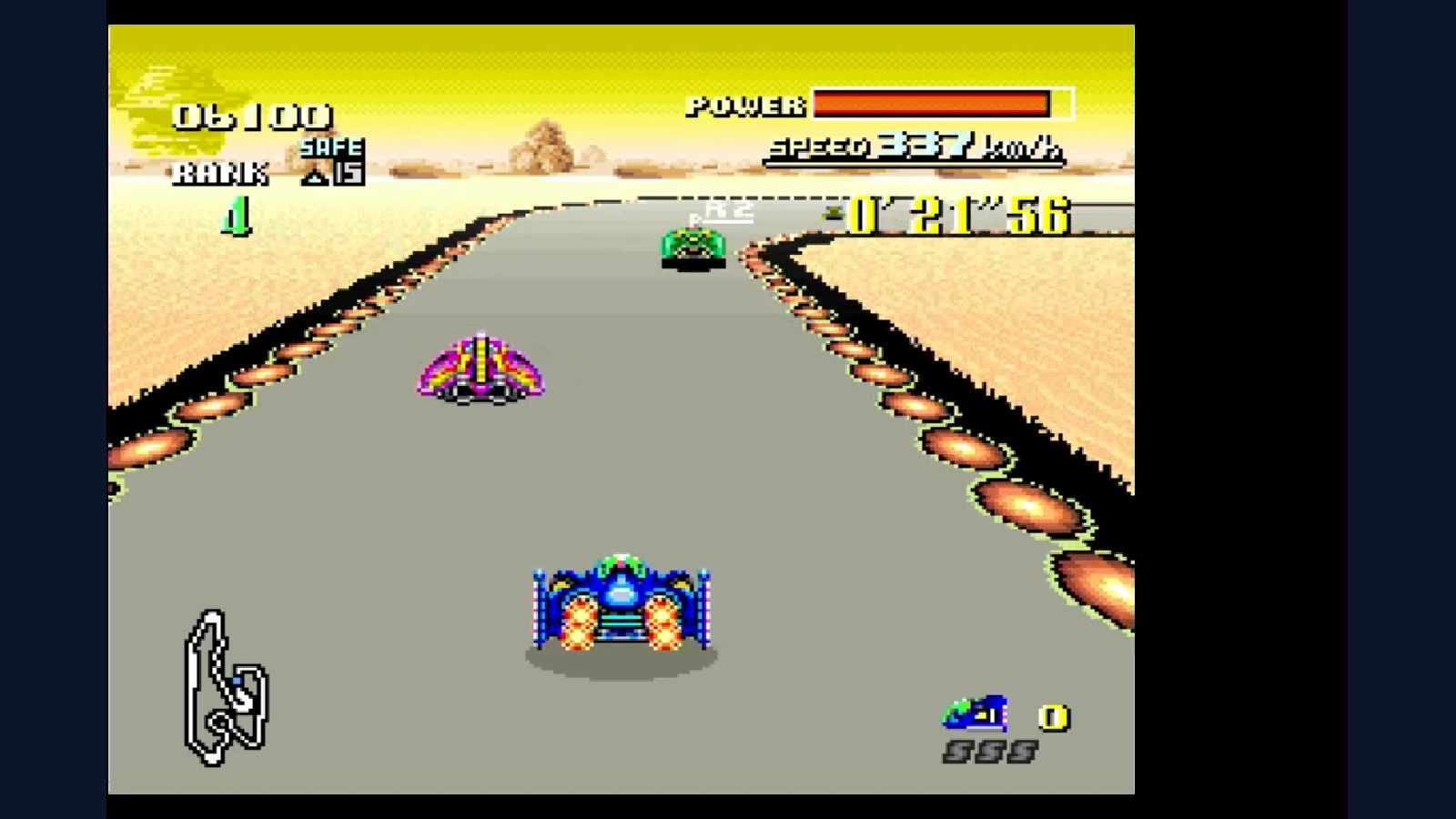
The road stretched toward the horizon while the car stayed close to the bottom of the screen. Tilt the world, turn a corner, and the flat image suddenly felt like somewhere you could drive.
SNES Mode 7 transforms a flat background tilemap. Rotation and scaling can move that map as a sheet; changing the mapping between screen rows can create a perspective-like road. It does not turn the SNES into a general polygon-based 3D engine.
That limitation is part of the appeal. A carefully chosen representation made a small amount of image data communicate speed, distance and direction.
Pull the camera illusion apart
Turn a flat map into a road.
Choose “Road view.” The flat picture suddenly seems to stretch into the distance.
Fine-tune the view
How it works
Mode 7 transforms a flat background using an affine mapping. Rotation and scaling alone keep it flat. Changing the mapping between screen rows lets software create a receding road. The horizon is composed separately; this is not a general polygonal 3D engine.
Original browser illustration, not an F-Zero screenshot or an exact SNES simulation. Real Mode 7 timing and hardware details are explained in the article.
Choose “From above” to see the original flat circular road. Then choose “Road view” to make it recede into the distance. “Turn left” and “Turn right” change the view; More settings exposes the angle and the “Show the road view” checkbox.
This is a browser teaching model. It uses its own map and math rather than emulating SNES registers, fixed-point arithmetic or timing. The horizon is an added illustration. Its purpose is to reveal the relationship between a map and its presentation, not claim pixel-perfect F-Zero output.
What the hardware transformed
The SNESdev transformation reference describes Mode 7’s affine mapping: screen positions are used to select positions in the background image. Moving, rotating, scaling and skewing that relationship changes the view without redrawing the entire source map for every angle.
Affine is a technical word with a useful limit. A single such transformation can turn a square into a parallelogram, but it does not supply the changing depth scale of an unrestricted 3D scene. A rotated map can still look like a sheet held in front of you.
The “racing into the distance” effect therefore involves another decision: vary the transformation across the displayed rows. The hardware’s background capability and the software’s changing settings work together to create the view.
Why the far road gets narrow
Picture a road painted on a large tabletop. Nearby markings occupy more of your view; distant markings fit into less space. An illustration can mimic that relationship by choosing how much source-map distance corresponds to each output row and horizontal step.
In the lab, switch between “From above” and “Road view” while looking at the near edge of the track. The road has not become a mesh of polygons. The sampling relationship has changed. That distinction also explains why turning the view can feel continuous even though the underlying artwork remains a flat map.
Real SNES games had to manage their own numerical precision and available processing time. Our page omits those details so the visible idea stays readable. A good explanation should not convert that simplification into a claim that real implementation was effortless.
F-Zero built the world around the trick
Nintendo’s F-Zero developer interview discusses the hardware’s background scaling and rotation and how the team used them. The racing scene’s composition gave the transformed road most of the lower screen while treating the distant landscape separately.
That is a design lesson as much as a hardware fact. A convincing illusion does not need every object in the scene to use the same technique. The vehicle, track, scenery and information display can each contribute what the player needs to understand the race.
Speed also depends on cues beyond a transformation matrix. Road markings crossing the view, a stable vehicle reference and a recognizable horizon help the player interpret motion. In our quiet still model, you can examine the geometric relationship without the game’s action carrying the explanation for you.
Mode 7 is not a synonym for every SNES effect
The SNES offers multiple background modes, and Mode 7 has a particular memory and layer arrangement. Its normal transformed background is not a set of independently textured 3D objects. Games can combine backgrounds, sprites and changes made during display to produce more elaborate scenes.
The SNESdev background-mode guide details those boundaries. Knowing them prevents a common shortcut: calling every large rotating boss, impressive road or unusual perspective effect “just Mode 7” without examining how the scene was assembled.
The image was flat; the idea was not
Try one final comparison with the map rotated ninety degrees. Switching between “From above” and “Road view” changes the impression of space while retaining the same original surface. That is the discovery worth keeping.
Mode 7’s appeal is not that the hardware secretly did everything a modern engine does. It is that developers found a visual vocabulary in a constrained tool, then built a whole game around what that tool could communicate exceptionally well.
Sources and further reading
- SNESdev: Mode 7 transform — hardware-research explanation of affine mapping and scanline changes
- SNESdev: backgrounds and Mode 7 — layer, tilemap and mode boundaries
- Nintendo F-Zero developer interview — firsthand development context
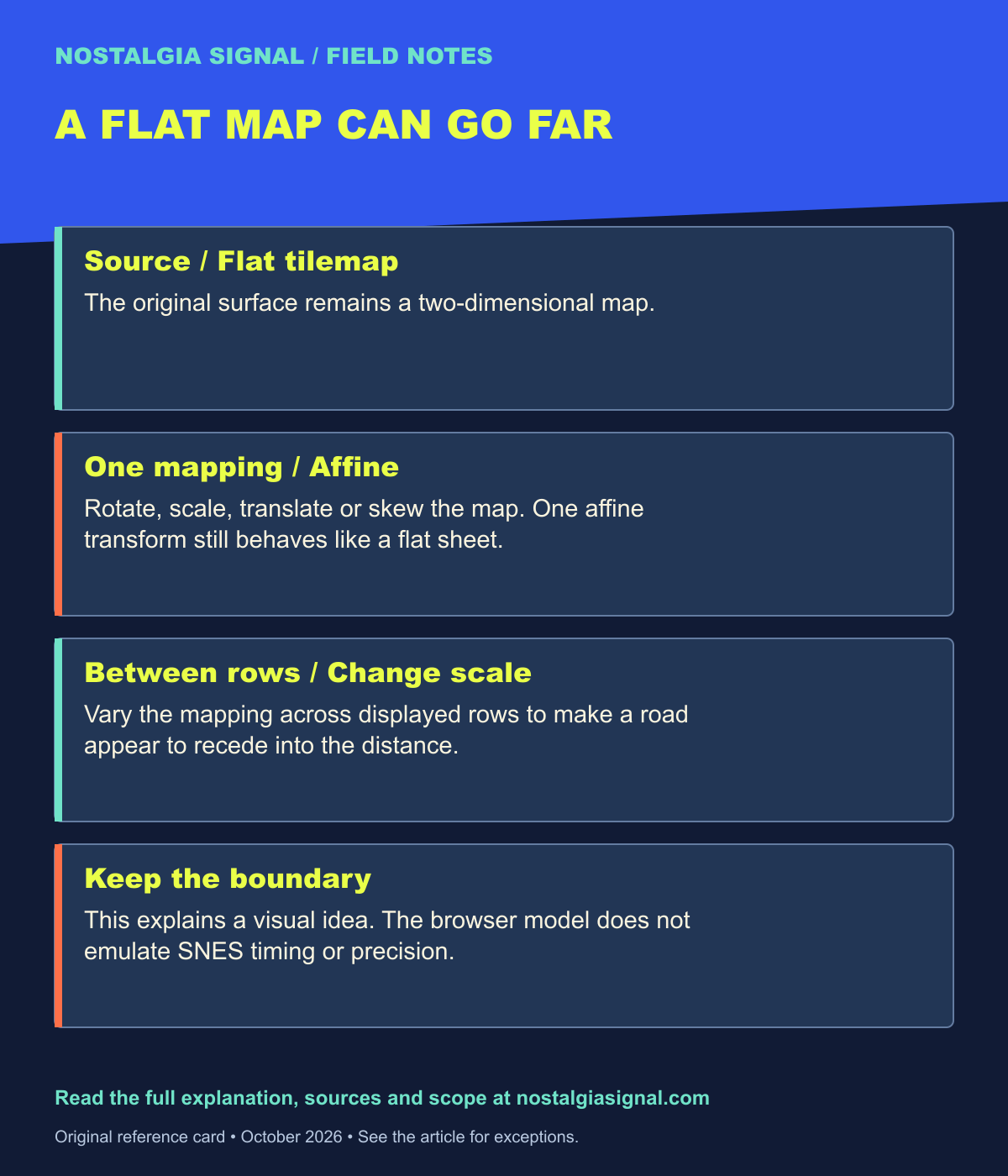
Keep the field notes
A handy reference for the next time this question comes up.
Open the full-size card ↗Save the PNG ↓
Follow the signal
- Nintendo 64: The Console That Took Nintendo Into 3D — Follow the move from transformed backgrounds to Nintendo’s 3D console.
- 5 Nintendo 64 Games That Made 1996 Unforgettable — See how the next era sold its new spaces.
- Castlevania at 40: The Castle That Reinvented Itself — Explore another series shaped by changing hardware.