INSIDE THE MACHINE / THE NOSTALGIA FILES
A ridiculous little face on a Game Boy screen is a good joke. Feed it out on a strip of paper and suddenly it is evidence. You could pass it around, stick it in a notebook or keep it long after the handheld was switched off.
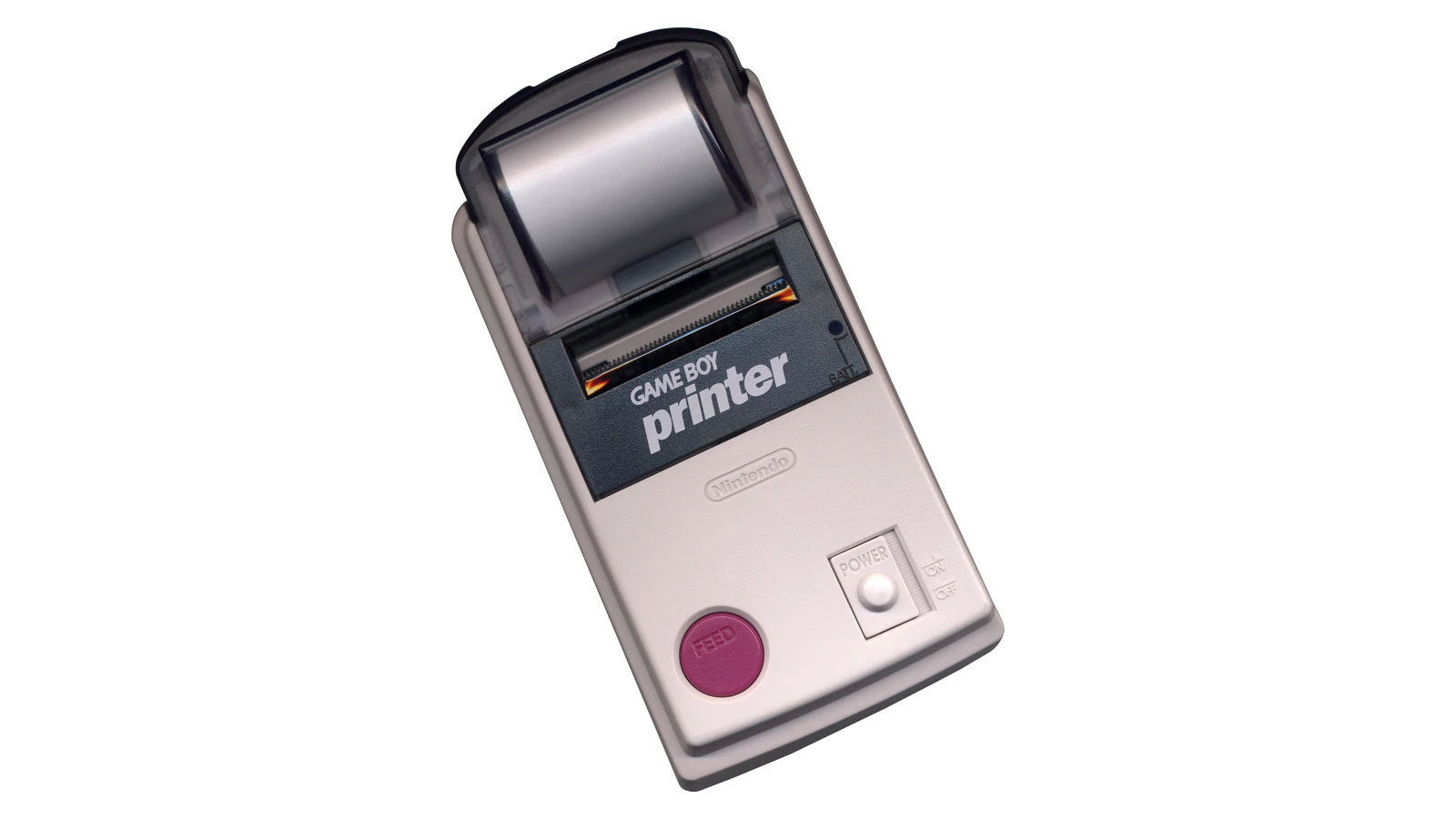
The Game Boy Printer is a thermal printer: a heated print head marks specially coated paper. It receives image data from supported software through the link connection. It does not need an ink cartridge because the paper is part of the imaging process.
That is different from a miniature inkjet. Understanding the paper explains both the accessory’s charm and why a decades-old roll should not be assumed to behave like a fresh one.
Make a limited-tone image first
Make a tiny retro photo.
Try a look below, or choose your own photo. Everything stays on your device.
More settings
How it works
The Game Boy Printer marks heat-sensitive paper with a thermal head. It does not spray ink. The handheld sends limited-tone image data through the link port. Dithering arranges light and dark dots to suggest intermediate tones. Our tool demonstrates that visual idea; a real print also depends on paper, exposure and hardware condition.
The picture is cropped to 128 × 112 pixels and reduced to four shades in your browser. This is a creative tribute, not Game Boy Camera emulation or a prediction of an actual thermal print. The original printer can print other layouts.
Our tool starts with an original desk scene. Try Softer, Classic and Bolder, or choose your own photo. “Save your picture” keeps the result as a PNG. The image stays on your device; your browser crops it to 128 by 112 pixels and reduces it to four shades. More settings lets you adjust the contrast and dot pattern yourself.
The photo stays in this browser; the tool does not upload it to NostalgiaSignal or a processing service. It accepts JPEG, PNG and WebP images up to 12 MB. The original sample lets you explore without choosing a personal image.
This is a visual tribute, not a Game Boy Camera emulator, a complete printer-data encoder or a prediction of a real thermal print. The real printer can produce layouts wider than our small image sample, and its hardware pipeline differs from this browser conversion.
Now the photo could leave the Game Boy
The handheld and printer do not simply share a video cable. Software sends structured information through the link connection: initialization, image data, a print request and status checks. The printer has its own controller and memory for incoming graphics.
The Pan Docs printer reference, based on hardware research, describes that packet exchange and the tiled image format. It also documents exposure and palette parameters. Those details help explain why “the printer is connected” and “the selected game can print this image” are different questions.
A compatible game supplies a printing feature; the hardware carries out that request. It is not a universal way to print any arbitrary screen in any cartridge. Recognizing the software’s role avoids expecting an unsupported game to grow a print menu just because the cable fits.
Heat replaces the ink supply
With direct thermal printing, selected points of a heat-sensitive surface change appearance under the print head. The machine advances the paper so successive rows form the image. The mark comes from the treated paper’s response rather than liquid being deposited from a cartridge.
That makes the consumable important. Paper dimensions, coating, orientation and condition can affect whether an apparently functioning mechanism produces a useful picture. Follow the accessory’s instructions and the paper supplier’s specifications instead of forcing an unsuitable roll into place.
A blank or faint result is therefore not proof that the printer needs “more ink.” Nor should every faint image be blamed on paper alone: power, contact, exposure settings and hardware condition can also matter. We have not diagnosed or tested a physical unit for this article.
THE FIELD NOTES / TRY THIS
From a heated point to a paper row
DATA → HEAT → MARK → ADVANCE
Software supplies the image data. Selected print-head elements heat the coated surface. The paper responds, then the feed mechanism moves another row into position. This sequence is a conceptual mechanism diagram.
A paper-side check
Direct thermal paper has an active coated surface. If that surface is not facing the head, moving paper alone will not create the intended image. Check the printer’s loading instructions and the replacement paper specification instead of searching for an ink cartridge.
What a blank print cannot establish
Paper condition and orientation are only possibilities. Power, contact and the printer itself can also matter; this guide does not diagnose a unit we have not examined.
Four tones can suggest more than four tones
Look closely at our converted image with dithering enabled. Patterns of light and dark pixels can suggest an intermediate shade when seen at a small size. The pattern does not add new colors to the palette; it changes how the existing colors are arranged.
Turning dithering off makes the tonal boundaries easier to inspect. Raising contrast can emphasize a face or an object’s silhouette, but may also erase subtle detail. A pleasing result is a composition decision, not simply the maximum setting on every control.
The Game Boy Camera and printer had their own processing and exposure behavior. Our ordered pattern is an original choice for this tool, not a claim that the accessory used the same browser algorithm. Keeping those claims separate lets the experiment be playful without becoming misleading evidence.
Why a tiny print felt different
A digital picture can remain one more image in a sequence. A physical strip has an edge, a size and a place to go. A border or a scribbled caption can turn it into an object shared with someone else. That is an interpretation of the experience rather than a hardware specification, but it explains the appeal of this small output device.
Nintendo’s GBA SP manual still describes the printer among the older accessories used through the appropriate cable arrangement. It is a reminder that this little machine belonged to a connected handheld ecosystem, not just one novelty camera.
Try a final image with a strong outline and a quiet background. At this resolution, choosing what deserves the limited detail is often more effective than asking the tool to preserve everything. The constraints become part of the picture you make.
Sources and further reading
- Pan Docs: Game Boy Printer — hardware research on the thermal device, link protocol and print parameters
- Nintendo GBA SP manual — official older-accessory and link-cable context
- Pan Docs: Game Boy Camera — technical reference for the distinct camera hardware
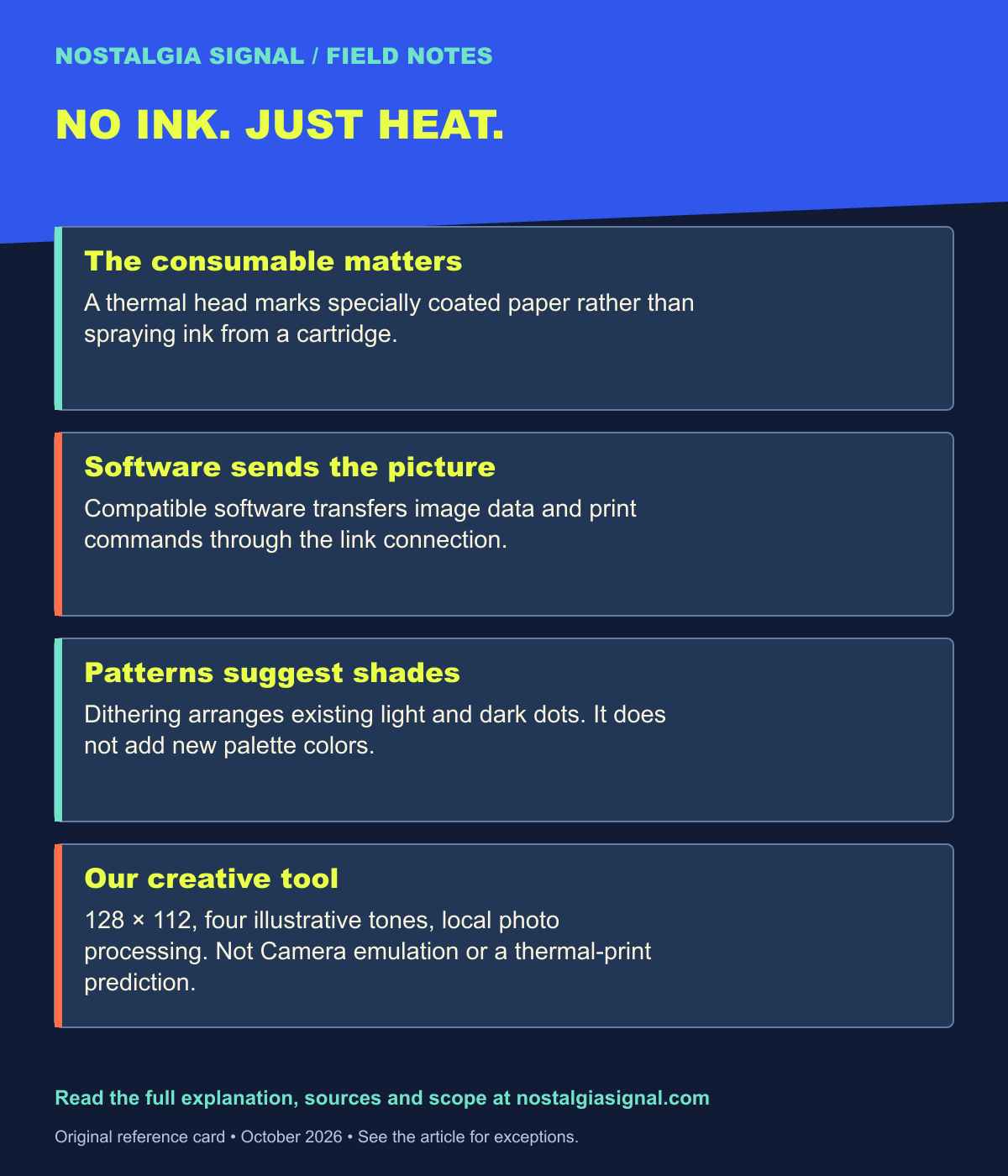
Keep the field notes
A handy reference for the next time this question comes up.
Open the full-size card ↗Save the PNG ↓
Follow the signal
- Why 2000s Digital Cameras Are Finding a New Generation — Another way limited imaging technology becomes a creative choice.
- Pokémon at 30: How a 1996 Game Became a Worldwide Obsession — The handheld world that made link accessories familiar.
- 7 Things in Your ’90s Backpack That Could Bring the Whole Classroom Back — Imagine where a tiny sticker print might have ended up.