RETRO FIELD GUIDE / THE NOSTALGIA FILES
The disc looks ordinary. The case promises a film you wanted to revisit. Then the player returns a message that seems far more complicated than putting a movie in a tray ought to be.
A DVD’s region marking and its video format are separate compatibility questions. Matching the player’s region does not automatically establish PAL/NTSC playback support, and an ALL or region-free disc is not a guarantee that every player and display chain can show it.
Start by reading the labels and the exact model manual. Importing a disc, replacing a player and troubleshooting a scratched copy are different decisions; a good checklist helps avoid making the expensive one first.
Two checks, kept separate
Will this DVD play?
Start with the region number on the case and player. If you cannot find a label, choose “Not sure.”
1. Match the region numbers
2. Check the video format too
PAL and NTSC are video-format labels. Check the DVD case and your player’s manual.
Matching numbers alone does not guarantee playback. The second check matters too.
How it works
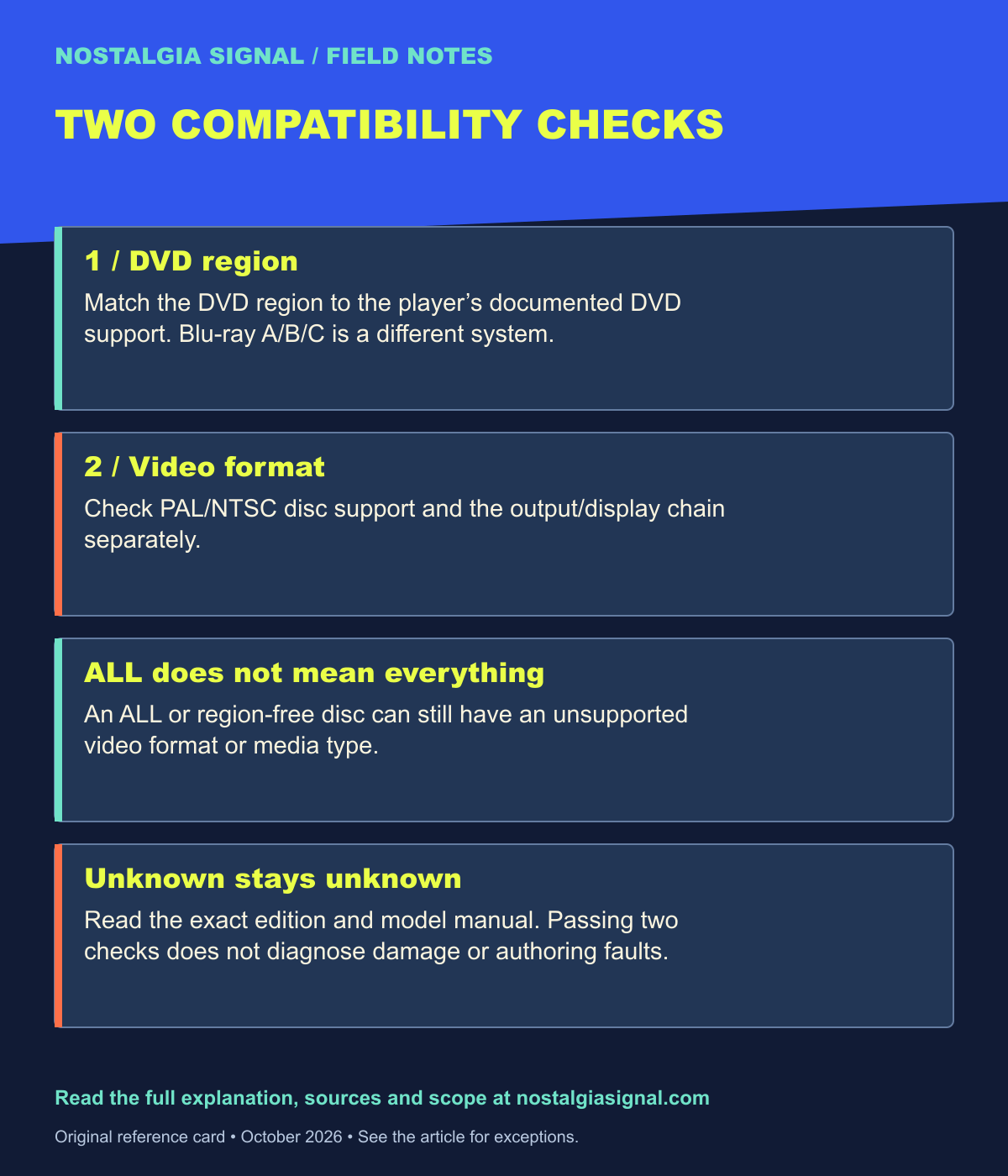
Match the DVD region marking to the player’s supported DVD region. ALL/0 discs are not restricted by an ordinary single-region match, but video compatibility remains separate. Confirm PAL/NTSC disc playback and output/display compatibility in the exact player and TV manuals. Unknown information should stay unknown until checked.
A preliminary label check, not a hardware test. Disc type, damage, output conversion, TV support and model restrictions can still matter. DVD region numbers are different from Blu-ray regions A/B/C.
Enter the DVD region and the player’s documented DVD region, then the disc’s video format and the player’s documented format support. If you do not know a value, leave it unknown. The tool should not turn missing information into a reassuring green light.
Even when both declared checks pass, the result remains preliminary. Disc type, authoring, damage, recording finalization, output conversion, television support and model-specific restrictions can still matter. The selector is a reading aid, not a hardware test.
| DVD region check | Video-format check | What it means |
|---|---|---|
| Matches or ALL | Supported | These preliminary checks pass; other playback restrictions can remain. |
| Matches or ALL | Unsupported | The region answer does not solve the format mismatch. |
| Mismatched | Supported | Video support does not remove a region restriction. |
| Unknown | Any result | Check the exact edition and model documentation before buying replacements. |
What the region number tells you
A region-coded DVD is intended for players supporting that DVD region. The mark is commonly shown with a globe and a number on the packaging or disc; the player’s label or manual identifies its own supported region.
An ALL or region-free DVD removes the ordinary single-region mismatch from this preliminary check. It does not change the disc into a different video standard or make unsupported media types readable. Think of region as one gate rather than the entire route to a picture.
Sony’s DVD region-code guidance is a manufacturer reference for the concept. Be careful with another familiar set of letters: Blu-ray regions A, B and C are not DVD region numbers. A Blu-ray player can have DVD playback restrictions that need to be checked separately.
What PAL and NTSC tell you
PAL and NTSC are labels inherited from different television-system families. In DVD listings they commonly identify different video-format presentations. A player must support the relevant disc format and provide an output your display arrangement can use.
Do not assume that a new HDMI cable changes the player’s disc-decoding capabilities. A connector can carry the player’s output; it does not automatically add every format the player omitted. Likewise, a television accepting several signal types does not prove the player can read the disc in the first place.
Sony’s guidance for its applicable US DVD players separates region support from PAL/SECAM limitations. That document is model-and-market guidance, not permission to generalize one older product’s limits to every modern player.
Three examples that expose the difference
An imported DVD can have a different region and an unsupported video format. Solving only one leaves the other question open. The selector reports both results separately so the second mismatch is not buried underneath the first.
A region-free disc can pass the region check while remaining in a format the player does not support. “No region restriction” describes one property, not a universal play-anywhere certification.
Finally, a matching-region disc in a supported video format can still fail because it is damaged or uses an unsupported recordable format. Passing a compatibility checklist does not repair the physical disc or confirm its authoring.
THE FIELD NOTES / TRY THIS
Read these three labels as separate cases
Region 2 + PAL disc / Region 1, NTSC-only player
Both declared checks fail. Finding an adapter for the video connector does not remove the disc’s region restriction or add PAL decoding.
ALL + PAL disc / Region 1, NTSC-only player
The ordinary region check passes; format support still fails. “Region-free” is not the same promise as “plays on every system.”
Region 1 + NTSC disc / region or format not known
Keep the result unknown until the exact player manual supplies the missing answer. A disc that physically fits does not settle compatibility.
Then troubleshoot in order
Record the error → identify the exact disc and player → check region → check disc format and supported media → check output/display support → use the manufacturer’s condition and playback checks. Passing the first two gates is a starting point, not a hardware test.
Read the error before changing the setup
Record the exact message and the model number. A region warning, an unreadable-disc message and a picture problem after successful playback are different symptoms. Use the manufacturer’s troubleshooting section that matches the observed behavior.
Try an appropriate known-good disc only according to the player’s normal instructions. If one title fails at a repeatable point while another works, that is different evidence from every imported title producing a region warning. A useful test changes one variable at a time.
This article does not provide region-lock circumvention instructions or claim that every setting can be overridden. The practical goal is identifying a compatible legitimate disc and playback chain before spending money on the wrong explanation.
Before ordering an imported edition
Check the exact release rather than relying on the country of the marketplace. Read its DVD region, video format, disc type, audio and subtitle information. Then compare those details with the player manual, including any output and display requirements.
If a seller leaves the format unspecified, ask for the packaging details instead of assuming that “region-free” settles everything. A good listing should make the relevant edition identifiable.
Physical media can offer a beautifully specific object: a particular transfer, commentary or package. Enjoying that specificity is easier when compatibility is equally specific. The useful question is not “does this DVD fit?” but “does this edition match what this player and display can actually handle?”
Sources and further reading
- Sony DVD region-code guide — manufacturer explanation of DVD regions
- Sony US DVD player region and video-format guidance — separate region and PAL/NTSC limitations for applicable products
- Sony imported-DVD compatibility guidance — market-specific video-format and region checks
Keep the field notes
A handy reference for the next time this question comes up.
Open the full-size card ↗Save the PNG ↓
Follow the signal
- Why People Still Buy DVDs in the Streaming Era — Why a particular disc can still be worth owning.
- The History of VHS: How a Tape Changed Movie Night — The earlier format that made movie night physical.
- The Fast and the Furious at 25: Gasoline, Neon and the DVD Era — Revisit a film closely associated with the DVD era.